





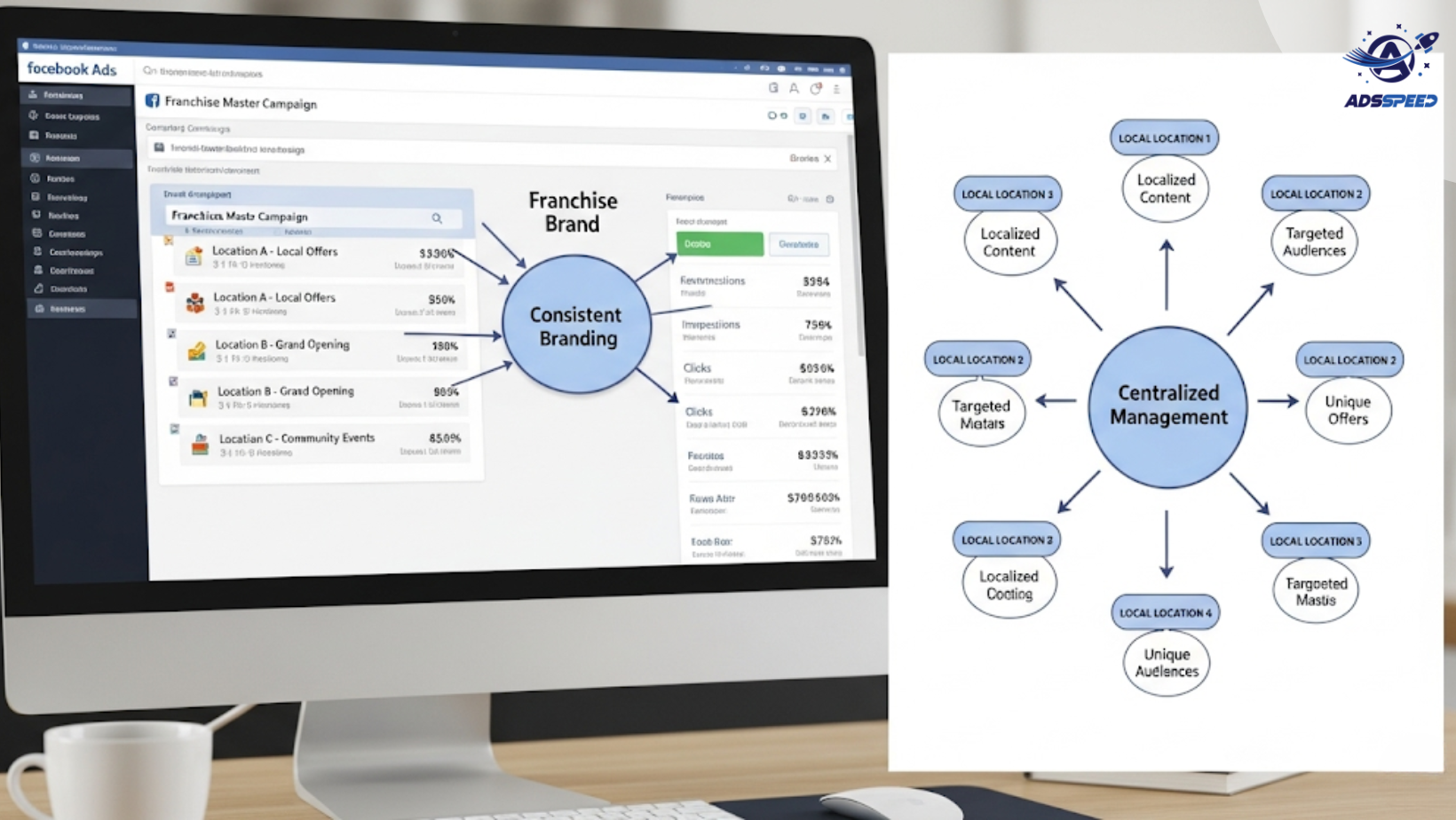
Franchises are a unique beast in the marketing world. You’re managing a single brand identity — but across multiple locations, often run by different teams, serving local audiences with different needs.
Running Facebook Ads for a franchise network isn’t like running ads for a single business. If you try to use a one-size-fits-all approach, you’ll burn through budget fast — and miss opportunities to connect locally.
So, what should you do differently?
1. Balance National Branding with Local Relevance
Your franchise brand likely has core messaging, design, and tone guidelines — and that’s great. But local relevance still matters.
Franchise ads that include:
- Localized copy (“Now open in Dallas!”)
- Geo-targeted promotions
- References to community events or landmarks
…tend to perform far better than generic brand ads.
Best Practice: Develop ad templates that franchisees can customize with local info while staying on brand.
2. Separate Campaigns by Location
Instead of bundling everything under one ad campaign, create individual campaigns by region, city, or location. This gives you:
- Better control over ad spend per franchise
- Clear performance data by location
- The ability to A/B test local offers
Yes, this takes more setup — but the targeting precision and data clarity are well worth it.
3. Use Facebook’s Store Traffic or Local Awareness Campaigns
Facebook offers ad objectives specifically built for franchises or multi-location businesses. Store Traffic Ads are designed to drive foot traffic by targeting users near each physical location.
These ads use:
- Location-based targeting
- Call-to-action buttons like “Get Directions” or “Call Now”
- Dynamic location insertion to customize by franchise
4. Streamline the Back-End (or You’ll Drown in Tabs)
Managing 10, 50, or even 100 franchise ad accounts manually? You’ll need serious caffeine — and serious patience.
👉 Here’s a quiet tip many multi-location marketers use: tools like Adsspeed help you manage multiple Facebook ad accounts and pages from one interface. Rename, launch, and monitor ads in bulk — no need to click through every account. It’s a small workflow shift, but one that saves hours every week.
🔹 Google Chrome Store: Search “Ads Check Speed | adsspeed.com”
https://chromewebstore.google.com/detail/ads-check-speed-adsspeedc/bhfahbbgppclfpeapkaebjbcffjnahcd
🔹 IOS Download : https://apps.apple.com/vn/app/adscheckspeed/id6742325139
🔹 Android Download : https://play.google.com/store/apps/details?id=com.dev.fbadsspeedv2&hl=vi
5. Train Local Teams (or Centralize Execution)
Some franchises let each location run its own ads, others centralize all ad operations at HQ. Whichever model you choose:
- Provide clear guidelines on copy, branding, and budgets
- Use shared Pixel data for smarter retargeting
- Set up shared audiences across locations to fuel lookalike campaigns
Hybrid models also work — where HQ runs major campaigns, and local teams boost them with their own budgets.
Final Thoughts
Running Facebook Ads for franchises isn’t just about scaling — it’s about scaling with strategy. By blending national consistency with local personalization, you can deliver ads that feel human, relevant, and timely — no matter how many locations you have.
And remember, with the right systems in place (both strategic and operational), even complex franchise setups can run smoothly and efficiently.

