

Features
Manage browser and phone profiles in one app
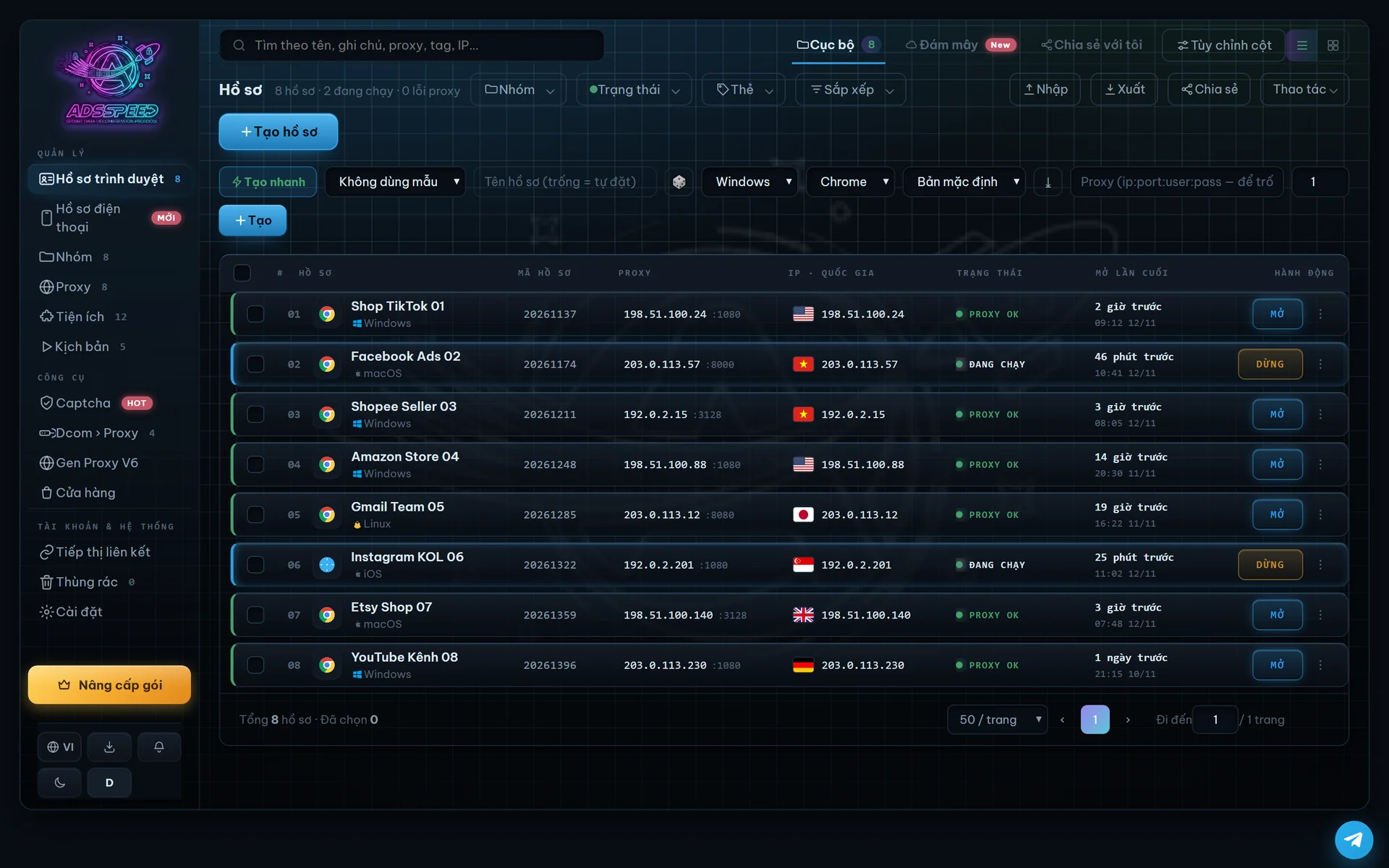
Browser profiles and Android phones live in the same app: start, stop, assign proxies and watch the status of every profile. Each profile has its own device setup, proxy and data, so your accounts always stay separate.
Free plan: 5 browser profiles · no payment needed
What you can do
Manage browser profiles and Android phones in the same app, without opening other software.
Select several profiles and start or stop them at once, with each profile's status right in the list.
Give many profiles a proxy in one go, from your own proxy list or from proxies built on Dcom modems.
Device setup, proxy and sign-in data are kept apart for each profile and match each other in every detail.
Share profiles with teammates and set each person's permissions inside the app.
Optional: save copies of selected profiles to your own Google Drive, encrypted on your computer first.
Get started in 3 steps
- Download and install
Get the Windows installer and create a free account.
- Create profiles
Create a browser profile or a phone and assign a proxy to each one.
- Open and work
Open a profile and sign in as usual. Next time, the profile still has its data.
Frequently asked questions
How many profiles does the Free plan include?
The Free plan includes 5 browser profiles and 20 profile creations per month, without phone profiles. Paid plans add more profiles and phones — see Pricing.
Where are profiles stored?
Profiles are stored on your computer. If you turn on Google Drive sync, copies are encrypted on your computer before they are saved to your own Google Drive.
Do I need technical skills?
No. Creating profiles, opening them and assigning proxies are all done in the interface.
Related articles
Other features
Android phonesAI captchaAutomationDcom mobile proxyShared cameraAsset protectionAds extension
Start with 5 free profiles
Download ADSSPEED for Windows, create an account and set up your first profile in minutes.