

Features
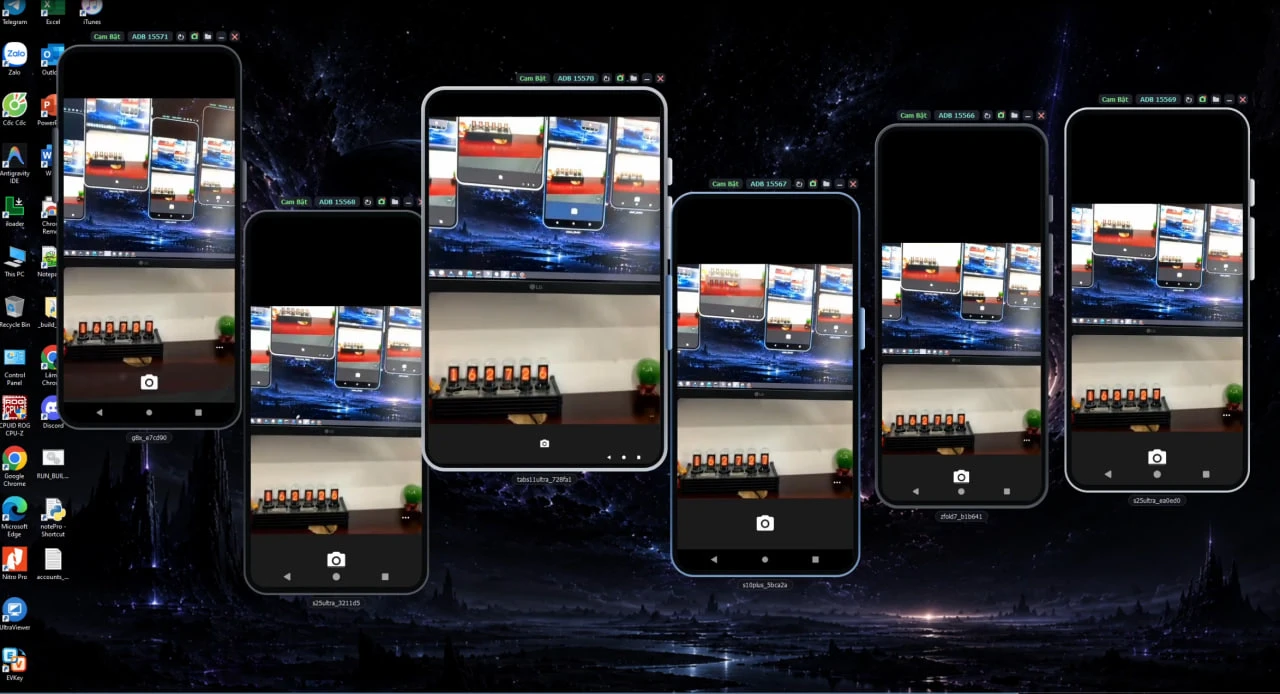
One real camera, shared by a whole group of Android phones
Send a real video source to the Android phone's camera — every app and website on the phone sees a working camera. One phone can be the shared camera for a whole group at once.
What you can do
Native apps and websites see a real camera, not an image pasted into the browser.
Stream one video source to several livestreams or video calls at once.
Use the same real scene or portrait across many phones.
Use the phone in your pocket as a camera via QR code, on any network, including 4G.
Webcam, PC screen, a video or image file, an RTSP/HTTP stream, your phone via QR, and a test pattern.
Front and back cameras are both oriented correctly.
Get started in 3 steps
- Pick a source
Open the camera source menu in ADSSPEED.
- Pick phones
Choose one phone or a whole group to use that source.
- Use it like a real camera
Apps, livestreams and video calls on the phone can all use the camera.
Frequently asked questions
Which camera sources can I use?
A PC webcam (including virtual cameras such as OBS), the PC screen, a video or image file, an RTSP/HTTP stream, your phone's camera via QR code, and a test pattern.
Does the QR phone camera need the same Wi-Fi?
No. The video goes through adsspeed.com's server, so it opens in any browser, on any network, including 4G.
Which devices can use the shared camera?
Android phones in ADSSPEED; one source can be shared by a whole group.
Related articles
Other features
Profile managementAndroid phonesAI captchaAutomationDcom mobile proxyAsset protectionAds extension
Get started with ADSSPEED
Download ADSSPEED for Windows, create a free account and try it today.